
Appearance
Transition Sets
INFO
Transition sets will be released in version 2.38.0
Transition Sets allow you to define and control how tasks can move between statuses. They let you configure which statuses can be used for a task, and what the transitions between statuses should be called.
Managing Transition Sets
If you have permission to manage transition sets, you will be able to access the Transition Sets page from the side menu. From there you can:
- Create a new blank transition set
- Duplicate an existing transition set
- This will create a new transition set pre-populated with the transitions from another set
- Edit or delete existing transition sets
- View the default transition sets
- View a diagram of any transition set
- Export a transition set
Configuring a Set
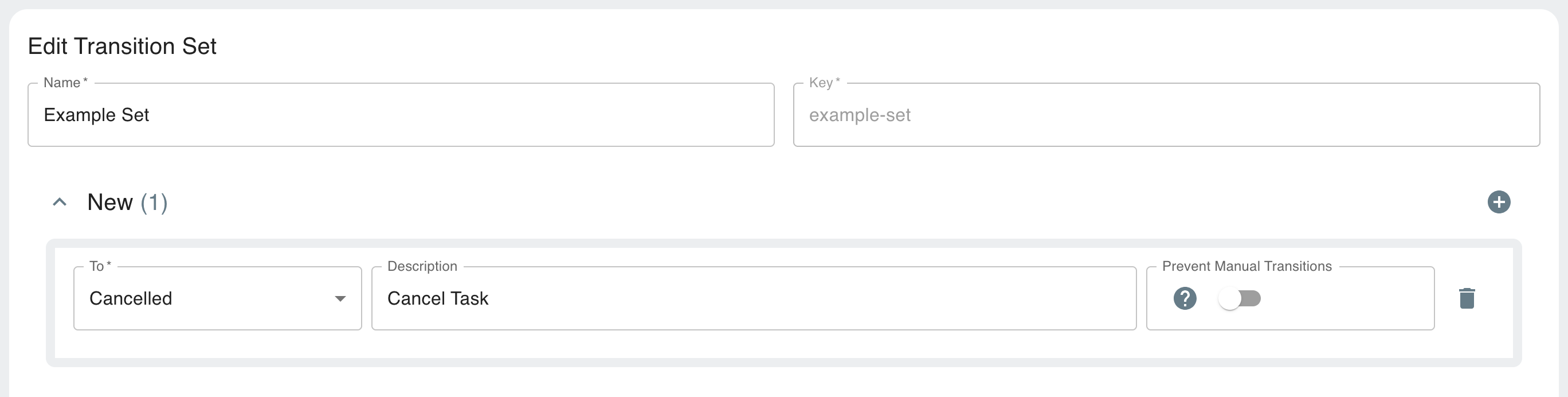 In this image of the Transition Sets editor, you can see an example set containing a single transition from
 New to Cancelled. The status of a task using this transition set could be changed from New to Cancelled, and then it could not be changed again, because there are no transitions out of the Cancelled status.
Because the Prevent Manual Transitions toggle is off, this status change would be allowed via the AireFrame UI and Aireflow's UI and API. It would also be allowed via mutations regardless of this toggle.
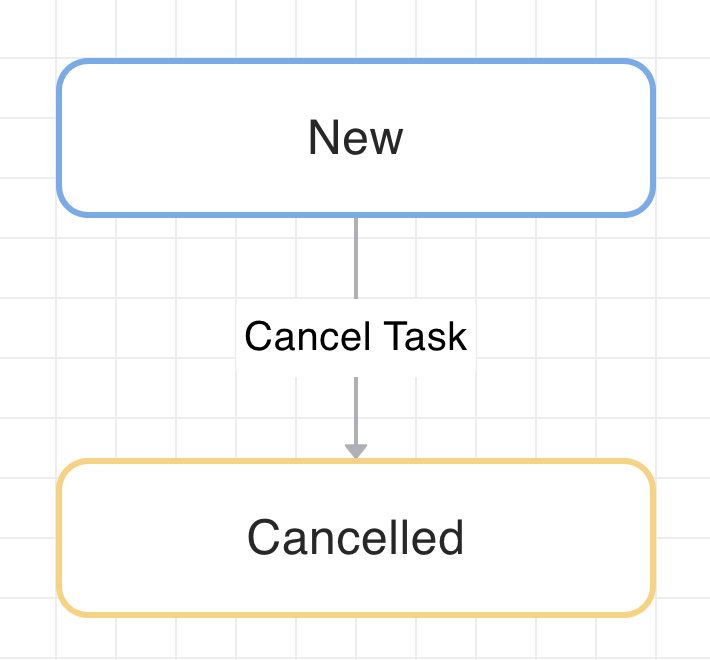 Here you can see the diagram of the example set created above.
Git Integration
- Transition sets can be stored and in your Git repositories, in a folder called
TransitionSets
Using Transition Sets
Assign to Task Definitions
- You can specify a transition set when defining a task

- This controls the allowed transitions for all tasks created from that definition
Task Behavior
If a task has a transition set:
- Only transitions from that set are allowed
If no transition set is specified:
- A default transition set is used (depending on the type of the task) to ensures backwards compatibility
- The
default,default-form&default-automatedsets can be seen (but not edited) on the Transition Sets page.
AireFrame Integration
- For tasks in AireFrame, only the allowed transitions will be shown
- The description you set for each transition will be shown in the task's action menu
Checking Available Transitions
The transitions property on the graphQL tasks API will return whichever transitions are possible, dependent on a task's current status.